Why Workday?
Minnesota State needs a more connected, transparent way to support both students and the faculty and staff who guide their success. A way that makes it easier for students to apply, register for classes, track academic progress, and stay on the path to completion. Today’s students expect clarity, simplicity, and access at their fingertips. Our current student information system was not built to meet those expectations.
NextGen, powered by Workday Student, is how we move forward as one Minnesota State.
Workday Student gives students a simpler, clearer, and more connected college experience. Instead of juggling multiple systems, emails, and deadlines, everything they need is brought together in one easy-to-use, mobile-friendly platform. From the moment they apply to the day they graduate, students can see their tasks, requirements, deadlines, and progress; all in one place, with prompts that move them forward.
NextGen isn’t just a technology change. It’s a commitment to students.
By increasing transparency and removing barriers, Workday Student directly supports the Equity 2030 goals of Minnesota State. Allowing every student, regardless of background or prior experience, equal access to the information and tools they need to succeed.
At the same time, Workday Student allows faculty and staff an improved work experience. Workday Student offers automated workflows that will replace manual tracking; meaning fewer emails between departments and less time on repetitive tasks and troubleshooting. By simplifying processes and reducing transactional work, Workday enables employees to spend more time doing what matters most; supporting students.
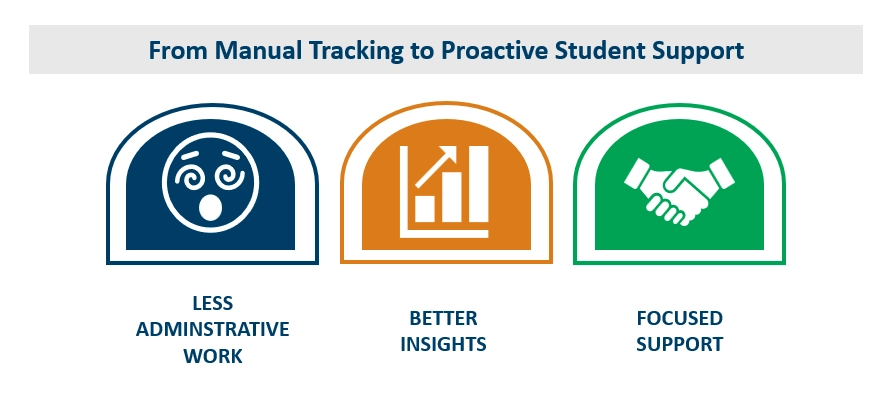
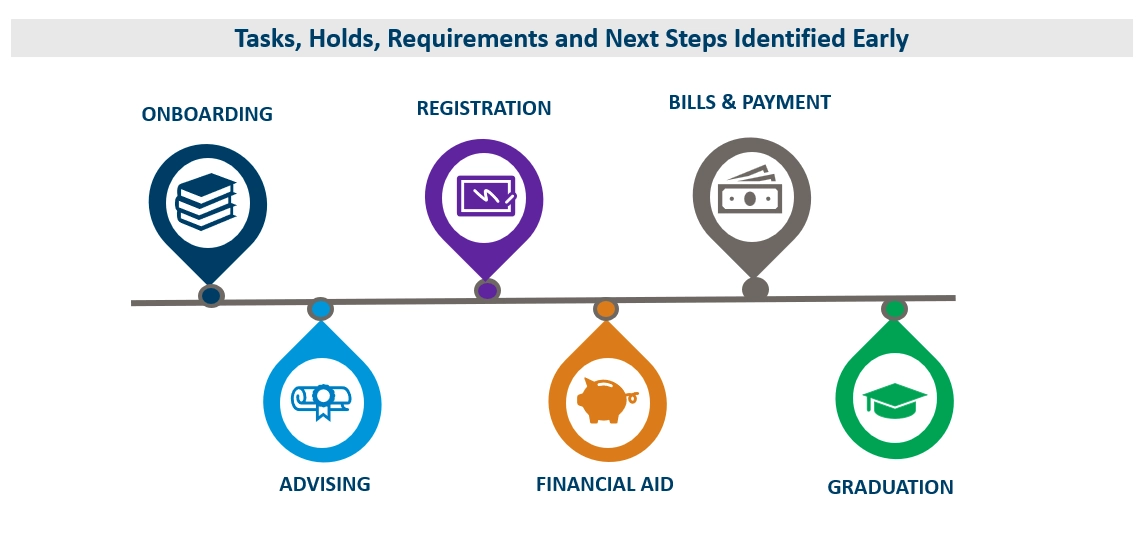
Workday Student benefits were highlighted during the NextGen Student Showcase in February 2026 giving participants the opportunity to explore early Workday Student designs across the full student lifecycle—from prospect through graduation. Across all functional areas, a consistent benefit emerged: Workday Student replaces fragmented processes with guided, transparent, and actionable workflows. For students, this means tasks, holds, requirements, and next steps are identified early, allowing students to progress confidently through onboarding, advising, registration, financial aid, billing, and graduation-related activities. For staff and faculty, Workday Student shifts effort away from manual tracking, reconciliation, and troubleshooting toward decision-making, and proactive student support. Open the accordions below to learn more about the benefits of Workday Student in each functional area.
Academic Foundation
Workday Student unifies academic foundation processes into a single, guided experience—connecting student profiles, third-party access, self-service updates, action items, holds, and academic calendar milestones into one coherent workflow. Workday enables students to move confidently through onboarding, advising, and registration while allowing staff to focus on strategic academic operations rather than transactional troubleshooting.
When moving from admission to registration, students often stall because the process is fragmented. They may not realize a hold exists, don’t know which step is required next, or aren’t sure which office to contact. Advising appointments, orientation registration, document acknowledgements, and authorizations all live in different systems or formats, creating delays and frustration. Workday Student allows students to flow through their academic journey by:
- Presenting all required onboarding steps in a single task inbox, in the order students need to complete them
- Automatically applying and lifting registration holds based on task completion
- Allowing students to complete key actions (contact updates, authorizations, acknowledgements) all within Workday
- Providing appointment scheduling and/or orientation registration inside Workday
For students who may not have prior experience navigating higher education systems, Workday Student replaces hidden rules with clear guidance.
Key Workday Student Academic Foundation Highlights for Students
The Workday step-by-step onboarding process removes the need to “know how college works” by offering built-in questionnaires that capture key student details. Workday Student shifts the institution from reactive problem-solving to proactive support. Students don’t need to identify the “right office,” the system routes them forward automatically. This allows students to feel confident that they are on track and prepared.
Key Workday Student Academic Foundation Highlights for Staff
Workday Student reduces the manual coordination burden that staff carry between admission and registration by turning onboarding into a structured, trackable workflow. Staff can see a student’s onboarding progress, tasks, and any registration holds in one place, reducing the need for follow-up emails and troubleshooting. Required actions—such as contact information updates, acknowledgements, authorizations, and questionnaires—route directly to the student and confirm completion before registration moves forward. The result is less administrative overhead and more time for staff to focus on proactive student support.
Advising
As Minnesota State transitions to Workday Student, the advising functional area helps guide the adoption of an integrated Academic Hub that centralizes academic records, planning, degree progress, and external records—reducing system fragmentation, increasing transparency, and enabling more proactive, student-centered advising conversations.
Today, students lose time navigating disconnected systems for advising, academic records, transfer credit evaluation, degree audit tools, and appointment scheduling. They often don’t know whether external records were received, why transfer credit didn’t apply, or whether a hold is blocking registration. Advisors, in turn, spend time interpreting multiple systems and explaining information students can’t see themselves. Workday Student improves academic advising experience for both students and academic advisors.
Academic Hub for Students and Advisors
Workday Student centralizes academic advising through the Academic Hub, giving students and advisors shared visibility into the student’s academic journey. From one place, both students and advisors can access:
- Academic history, current classes, and registration tools
- Academic plans and degree progress
- Transfer credit details and external records
- Assigned advisors, important contacts, and appointment scheduling
- Students and advisors see nearly the same information, reducing confusion and improving conversations.
Key Workday Student Advising Highlights for Students
Student-Driven Academic Planning with Advisor Collaboration
Workday Student empowers students to take ownership of their academic path while staying aligned with advisor guidance. Students can:
- Build and update academic plans using intuitive drag-and-drop tools
- Create alternate plans (for example, full-time vs. part-time scenarios)
- Receive alerts when courses may not be offered in a planned term
- Submit plans for advisor review, feedback or approval
- Advisors can review plans directly within the workflow, helping students' course-correct early and avoid missteps that delay progress.
Clear, Actionable Degree Progress
Degree progress is displayed through intuitive dashboards and progress indicators that show what requirements are met, in progress, or unmet. Students can view:
- Program and concentration requirements
- Bundled requirements
- Unmet or unassigned requirements before they become barriers
This transparency helps students prepare for advising conversations and reduces last-minute surprises.
Transparent Transfer Credit and External Records
Workday Student removes the mystery around transfer credit displaying:
- Confirmation that external transcripts (including those from other institutions) AP scores, and test results were received
- Which courses transferred, which did not, and why
- How transfer credits apply to degree requirements
Both students and advisors can see updates in real time, eliminating guesswork and repeated follow-ups.
Key Workday Student Advising Highlights for Staff
Workday Student supports proactive advising by enabling advisors to:
- Identify and resolve holds before registration issues arise
- Use appointment questionnaires to prepare for meetings
- Spot unmet requirements early through progress dashboards
- Evaluate transfer credit and submit requirement overrides
Instead of toggling between SIS, degree audit tools, scheduling platforms, spreadsheets, and email, advisors spend more time on meaningful, proactive, and student-focused conversations. The result is clearer information, fewer obstacles, and more time spent coaching students toward success.
Financial Aid
As Minnesota State transitions to Workday Student, the functional area helps guide adoption of an integrated Financials Hub that makes financial aid status, required actions, document submission, SAP standing, and appeals visible and actionable—reducing uncertainty for students, minimizing manual intervention for staff, and enabling financial aid teams to focus on decision-making and student support rather than status tracking.
Navigating financial aid can be one of the most stressful parts of the student experience. Students often don’t realize they have missing documents, failing satisfactory academic progress (SAP) or are missing needed verification items until their packaging or disbursement stalls. Workday Student makes financial aid processes visible and actionable, so students know what’s happening, what’s required, and what to do next.
With Workday Student:
- Students can upload documents directly, submit, and move to the next item immediately
- Staff can review, approve, or send back documents with comments, keeping the whole loop inside the workflow
- Holds can be applied in batch to prevent packaging or disbursement until requirements are met, reducing manual hold placement
- Packaging runs nightly (and can also be run manually), using consistent logic tied to class standing, enrollment status, etc.
Key Workday Student Financial Aid Highlights for Students
The Workday Student Financials Hub gives students a single, clear place to manage the parts of college that often feel confusing and high-stakes—financial aid and student billing. Instead of bouncing between phone calls, emails, and office visits just to figure out “what’s next,” students land in one dashboard that surfaces the most important information and actions. The Financials Hub has:
- A clean interface with tiles (balance, payments, awards) and clear alerts (“awards pending your response”).
- A left-hand menu for deeper navigation, plus the ability to access via menu/top apps.
The Student Dashboard and Financials Hub replace uncertainty with clarity. Students can view the estimated cost of attendance for their program compared side-by-side with the costs associated with their enrollment. Students can quickly confirm what aid has been offered, what has been accepted, what is still required, and what actions they need to take. This means fewer surprises and fewer delays, freeing staff to focus on support and problem-solving instead of routine status checks.
NEW: Managing Satisfactory Academic Progress
Federal regulations require students to meet Satisfactory Academic Progress (SAP) standards related to GPA, pace, and maximum timeframe. In the current student information system, SAP failures often trigger holds without clear explanation, leaving students confused and staff responding reactively.
Workday Student manages SAP as a student status—not just a hold—making the process clearer and more flexible.
Automated Satisfactory Academic Progress (SAP) Evaluation
After grades post, institutions can evaluate students for SAP in mass. Workday Student applies the SAP policy associated with the student’s primary program of study, including:
- GPA thresholds (including tiered GPA by credits completed, where applicable)
- Pace calculations (attempted vs. completed credits)
- Maximum timeframe (typically 150% of program length)
- Course inclusion and exclusion rules (e.g., developmental courses, repeats)
Students who fail SAP are automatically moved to warning or failed status, triggering conditions that prevent packaging or disbursement.
Built-In Communication and Appeals
When SAP status changes, students receive automatic notifications through institutional email and Workday notifications. Staff can see exactly what message was sent, when it was sent, and the full content.
SAP Appeals Inside Workday
Students can complete SAP appeals directly in Workday, guided by a structured questionnaire that:
- Requires explanation of circumstances
- Allows documentation uploads
- Submits directly into staff task queues
Staff review appeals within their Workday inbox, where they can approve, deny, or return appeals for additional information—without external emails or forms.
Flexible Academic Plans
When appeals are approved, staff can assign individualized academic plans, setting student-specific requirements for:
- Minimum GPA
- Completion (pace) percentage
- Adjusted maximum timeframe, when applicable
Unlike ISRS, these requirements don’t have to be the same for every student. Plans can reflect program length, remaining credits, and realistic paths to completion.
Student Visibility into SAP Status
Students can view their SAP status directly from the Financials Hub, including:
- Current standing (passed, warning, failed, probation, undetermined)
- Why they’re in that status
- What requirements they must meet during probation to remain eligible
This replaces uncertainty with clarity—and helps students take ownership of their progress.
Key Workday Student Financial Aid Highlights for Staff
For Minnesota State financial aid teams, Workday Student shifts the work from contact monitoring and manual follow up to a clearer workflow.
- Less manual “chasing documents” because action items route to the student and collect uploads directly
- Less manual hold application because holds can occur in batch based on conditions and cohorts of students
- Less time reconciling statuses across tools because action items, holds, ISIR status, and packaging are connected in one workflow
The result is students move forward because the next step is automatically surfaced, and staff step in only where a decision is needed. This frees financial aid professionals to spend more time providing the kind of support that directly helps students persist and succeed.
Records and Curriculum Management
In the current student information system, students often lose time while registering when they struggle to figure out when they can register, whether they have a hold, or what’s blocking them until they try and fail. Workday Student simplifies the registration process by
- Providing students with quick and easy access to their holds and registration appointments, including exact dates and times for registration windows.
- Allowing students to create a schedule and register directly from the schedule. This schedule provides students with course seat availability and course details, as well as a visual calendar display of all course meeting dates, times, and locations.
- Offering students a registration troubleshooting console, with ability to customize language related to eligibility rules (such as pre-requisites, co-requisites, admission to a program, instructor permission, etc.)
- Allowing students to create and register directly from an academic plan. Students can create a variety of custom plans based on load status or course availability.
- Delivering “course swap” functionality, which allows students to exchange one course for another, while ensuring the original course is not dropped until registration for the second is successful.
NEW: Request and Workflows for Academic Changes
Workday also extends self-service beyond registration into the processes that often slow students down after they’ve enrolled—like changing a program of study (major) or requesting a leave of absence.
Instead of relying on homegrown forms, emails, or paper, students can initiate requests inside Workday, and the system routes the request to the right people for review and approval. New functionality with Workday Student includes:
- A student can request a program of study change directly from their academic profile, select a new program, identify a primary major, include a reason, and submit.
- The request then flows into a staff member’s task inbox, where it can be reviewed and approved
- Students can also request a leave of absence with an institution-configured reason (e.g., military service) and complete a dynamic questionnaire. These questionnaires can capture useful context and even collect required documentation (like military orders) at the point of request.
- Institutions can then report on leave reasons, providing understanding into why students stop out and identify opportunities for earlier intervention and support
- When a student is ready to return, they can submit a request to return from leave, triggering another structured review and approval process
Together, these workflows reduce friction not only at registration, but across major student lifecycle moments where delays and confusion often lead to stop-outs or missed progress.
Faculty Experience: Grading and Class Management
Workday Student improves the faculty experience by consolidating teaching, grading, and communication into a single, intuitive workspace.
Faculty can:
- View their teaching schedule with enrollment counts, delivery mode, and course details
- Access course rosters with student information, including email and program of study
- Communicate with an entire class directly from the roster
- Submit final grades through a configurable grading roster, with:
- Grade methods that restrict entries to valid values (A–F, Pass/Fail, Audit)
- Required last date of attendance for applicable grades
- Draft (“save for later”) functionality before final grade submission
- Submit grade changes with required reasons (calculation error, data entry error, or other), creating a clear audit trail
These controls support institutional policy while reducing confusion, errors, and follow-up.
Key Workday Student Registration Highlights for Staff
For staff, using Workday Student means less time explaining and resolving student registration concerns, fewer back-and-forth emails, and less time responding to basic questions, allowing for more time providing meaningful support.
- Records staff: less time as a “help desk” for basic registration errors; more time on policy, data quality, exceptions, and process improvement
- Advisors: can focus on planning and progression instead of procedural coaching (“click here, then scroll to…”)
- Faculty: fewer administrative interruptions; approvals are quick task actions rather than email
Registrar Wins: Mass Drop for Prerequisite Failure and Graduation Application Processing
One of the most time-consuming and error-prone processes for records offices today is identifying and dropping students who fail prerequisites after grades post. Workday Student automates this process:
- After grades are posted, staff can run a check for invalid registrations
- The system identifies students registered for courses where prerequisites were not met
- Staff can review the list, export it, exclude specific students, and then run a mass drop in a controlled, auditable way
This replaces manual tracking, ad hoc reporting, and faculty-driven notifications with a consistent, repeatable process—saving time and reducing risk.
Graduation is the culmination of the student journey—and is also one of the most complex, manual processes for records offices today. Many institutions rely on a patchwork of junior audits, graduation applications, pre-clearing processes, spreadsheets, and manual checklists to determine whether students have truly completed their requirements.
Workday Student brings degree progress tracking, graduation requests, audits, and credential posting into a single system—eliminating spreadsheets and guesswork. Students can initiate the graduation process directly from the Academic Hub, following institution-defined rules and timelines.
With Workday Student, graduating students can:
- Apply for program completion (graduation) directly from their academic profile
- Select the specific program of study they are completing (degree, diploma, or certificate)
- Submit optional comments or required information as part of the application
- Receive guided to-do items that surface next steps, such as resolving holds
Workday Student supports configurable questionnaires that can be triggered automatically after a student applies for graduation. Institutions can collect commencement-related information in one place, such as:
- Whether the student plans to attend commencement
- Ticket requests
- Gown sizing
- Name pronunciation or hometown recognition
Graduation-related to-dos remain visible to students until addressed, helping ensure critical issues (like past-due balances) are resolved before credentials are released. Students can view account activity and act directly from the task—without being redirected across systems.
With Workday Student, staff can generate a Managed Program Completion list to monitor students across the graduation lifecycle. This list can be filtered by:
- Program or major
- Student cohorts (e.g., honors students)
- Expected completion term
- Program completion status (applied, approved, deferred, denied)
- Percentage of academic requirements completed (e.g., 75% for junior audits)
This makes it possible to:
- Conduct junior audits
- Pre-clear students early in the term
- Identify students who have completed—or are close to completing—requirements even if they haven’t applied
Workday Student helps shift registration, grade submission, program completion, and related academic processes, from a high-friction, high-interruption process to one that’s clearer, faster, and more self-service for students. When routine questions and common roadblocks are handled through transparent workflows, built-in troubleshooting, and simple task-based approvals, faculty and staff will spend less time untangling problems and more time advancing student success.
Recruiting and Admissions
In the current student information system, students lose time when they struggle to figure out how to start, where to go next, and what’s missing, particularly when steps are unclear or require extra back-and-forth with staff. Workday Student simplifies the admissions process by:
- letting students create one external account (personal email + password) that can be used again for other institutions across the system
- using a shortened application and collecting some information later through an automated business process
- showing incomplete action items directly on the application so students can see what’s needed next
- allowing students to upload required documents themselves instead of relying solely on manual exchanges
Key Workday Student Recruiting and Admissions Highlights for Students
Workday Student offers an external applicant homepage. The external applicant homepage is a guided, self-service journey where students can:
- view application status
- complete tasks triggered by business rules
- and upload documents
Then, once admitted, students transition to a different experience: their Student Workday Account where academics and financials live in a portal-like environment. Workday Student helps by making the process:
- more guided (required fields are obvious; action items are visible)
- more self-service (upload documents directly)
- more reusable (account created once can be used again)
- and less error-prone (examples: postal code/state validation; high school search; ability to enter “school not listed” and let staff correct it)
Students see exactly what’s needed and can complete tasks without delay and no longer need to “hunt down the next step” as Workday will guide them to the next obvious process.
Key Workday Student Recruiting and Admissions Highlights for Staff
For admissions staff, Workday Student means a more streamlined process for processing applications; reducing manual work, processing time all while improving accuracy;
- Reduced manual sorting and compiling by using dashboards and real-time reports instead of spreadsheets
- Bulk admissions processing, eliminating the need to admit students one at a time
- Office of Higher Education (OHE) applications can be uploaded directly into Workday, automatically generating applications and eliminating manual data entry
- Auto-admit capability for eligible OHE applications once loaded into Workday
- Automated overnight posting of admissions decisions to student portals using Mass Operations Management (MOM)
- Fewer one-off emails, as workflows trigger notifications and route actions automatically
Application processing procedures are inside the same workflow (approve/deny action items, request more info, add notes back to the student). Admissions processors and enrollment teams can move from “transaction work” to “decision work.” When routine steps are automated or centralized (task requests, document handling, decision-ready reports), staff can spend more time on student outreach and recruitment as well as admissions strategy.
The application dashboard offers a single place to process, prioritize, and move applications forward. The dashboard offers:
- a visual breakdown (pie chart) of applicant categories
- a click-through option for richer applicant details
- dedicated reports like Applicants for Decision, Undergrad Application Processing, Action Items Waiting Approval, and Office of Higher Education Applicants for Decision (direct admission batch capability).
Workday Student will lessen barriers for students applying for admission by providing more visibility for employees, and workflows that guide the next step automatically. Students can start in one place, see what’s missing, upload documents, and move through a clearly defined process. Staff will work from dashboards, drillable reports, and policy-aligned decision queues for simpler processing.
Student Financials
As Minnesota State transitions to Workday Student, this functional area helps guide adoption of an integrated Financials Hub that centralizes student account activity—providing real-time visibility for students and staff while reducing manual intervention, reconciliation, and reliance on disconnected systems.
Today, students often struggle to understand their tuition, fees, and account balances. Charges may appear without clear context, payment timing can be confusing, and students may not know whether anticipated payments or third-party sponsorships have been applied. Staff, in turn, spend time responding to balance questions, adjusting accounts, and reconciling data across systems. Workday Student improves the student financial experience by making account activity clear, timely, and actionable for both students and staff.
Financials Hub for Students and Staff
Workday Student centralizes student billing and account management through the Financials Hub, providing shared visibility into student account activity. From one place, both students and staff can access:
- Tuition and fee charges by academic period
- Course-based tuition and differential fees
- Real-time account balances and transaction history
- Payments, refunds, and overage activity
- Payment plans and due dates
Students and staff see nearly the same information, reducing confusion and improving financial conversations.
Key Workday Student Financials Highlights for Students
Clear, Real-Time Account Activity
Students can view their full account activity in real time, organized by academic period and transaction date. Tuition and fees are clearly itemized, including course-specific charges and differentials, helping students understand exactly what they are being charged and why. Balances update automatically as registration changes occur, ensuring students always see current, accurate information.
Self-Service Payments and Payment Plans
Through the Financials Hub, students can:
- View statements by term
- Enroll in payment plans and see installment schedules upfront
- Understand payment plan fees before enrollment
- Track upcoming due dates and completed payments
Once enrolled, students know what is due, when it is due, and how their balance will change over time.
Visibility into Anticipated Payments and Sponsorships
Students can see anticipated payments, such as third-party sponsorships or vocational rehabilitation authorizations, directly on their account—confirming that authorizations have been received and applied.
Key Workday Student Financials Highlights for Staff
Workday Student enables institutions to define charge assessment schedules that control when tuition and fees are assessed for different student populations. During these windows, charges are assessed and updated automatically in real time as enrollment changes occur, supporting both per-credit and banded tuition models. Staff can easily verify charges by student, institution, academic period, or course.
Flexible Account Adjustments with Full Audit History
For unique or ad hoc situations, staff can:
- Apply individual student charges (such as library fines)
- Upload charges in bulk when needed
- Cancel or adjust eligible charges directly on student accounts
- Automatically recalculate balances and payment plans
- View complete process history and audit details for every transaction
Workday Student supports the full student account lifecycle, including payments, refunds, overage processing, and payment plan recalculations when account activity changes. Staff can make updates confidently, knowing downstream impacts are recalculated automatically. Workday Student brings tuition, fees, payments, and account activity into a single, coordinated workflow. The result is clearer information for students, fewer adjustments for staff, and a more predictable, transparent student financial experience.